[04]
Custom Dashboard
AnalyticsReportingAdmin
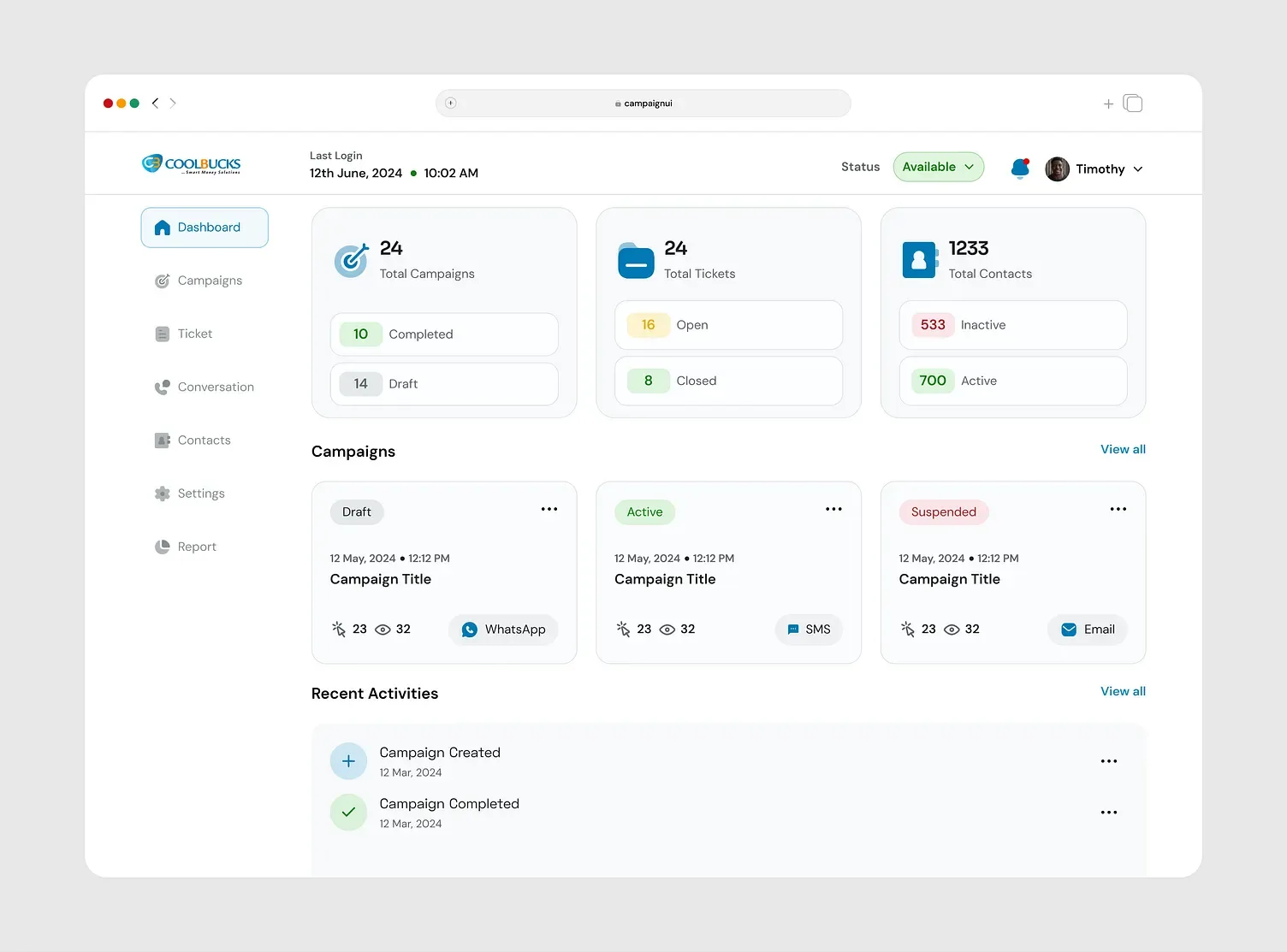
When data lives in five tools and a dozen spreadsheets, decisions slow down. We build custom dashboards and admin panels that pull everything together, show the numbers that matter for each role and let your team act on them right away.
[Built in]
What's under every dashboard we build
Real-time data
Charts and counters update as new data lands, not on a nightly batch job.
Customisable widgets
Rearrange, resize or hide any panel so the dashboard matches how your team actually works.
Role-based views
Each role sees the metrics that matter to it, with sensitive numbers restricted by permission.
Scheduled exports
PDF and Excel exports and email digests, sent on whatever schedule your stakeholders need.
Smart alerts
A threshold is crossed, the right person is notified — in-app, email or Slack.
Responsive by default
Every chart and table reflows cleanly from a monitor down to a phone.
Embedded AI assistant
A chat panel that can answer questions about the data on screen, in plain language.
Light & dark themes
Matches your team's preference and your brand's own colour palette.
[What we deliver]
What's included
- 01
KPI dashboards
Live views of revenue, operations and team performance, designed around the questions you ask every day. - 02
Admin panels
Manage users, orders, content and settings from one secure, role-based interface. - 03
Data integration
Connect your ERP, POS, CRM, spreadsheets and third-party APIs into a single source of truth. - 04
Reports & exports
Scheduled reports, PDF and Excel exports and email digests for stakeholders. - 05
Roles & permissions
Each person sees exactly what they need, with a full audit trail of changes. - 06
Alerts
Automatic notifications when a metric crosses a threshold, so nothing slips through.
[E-commerce operations]
Every number your team checks each morning, in one screen
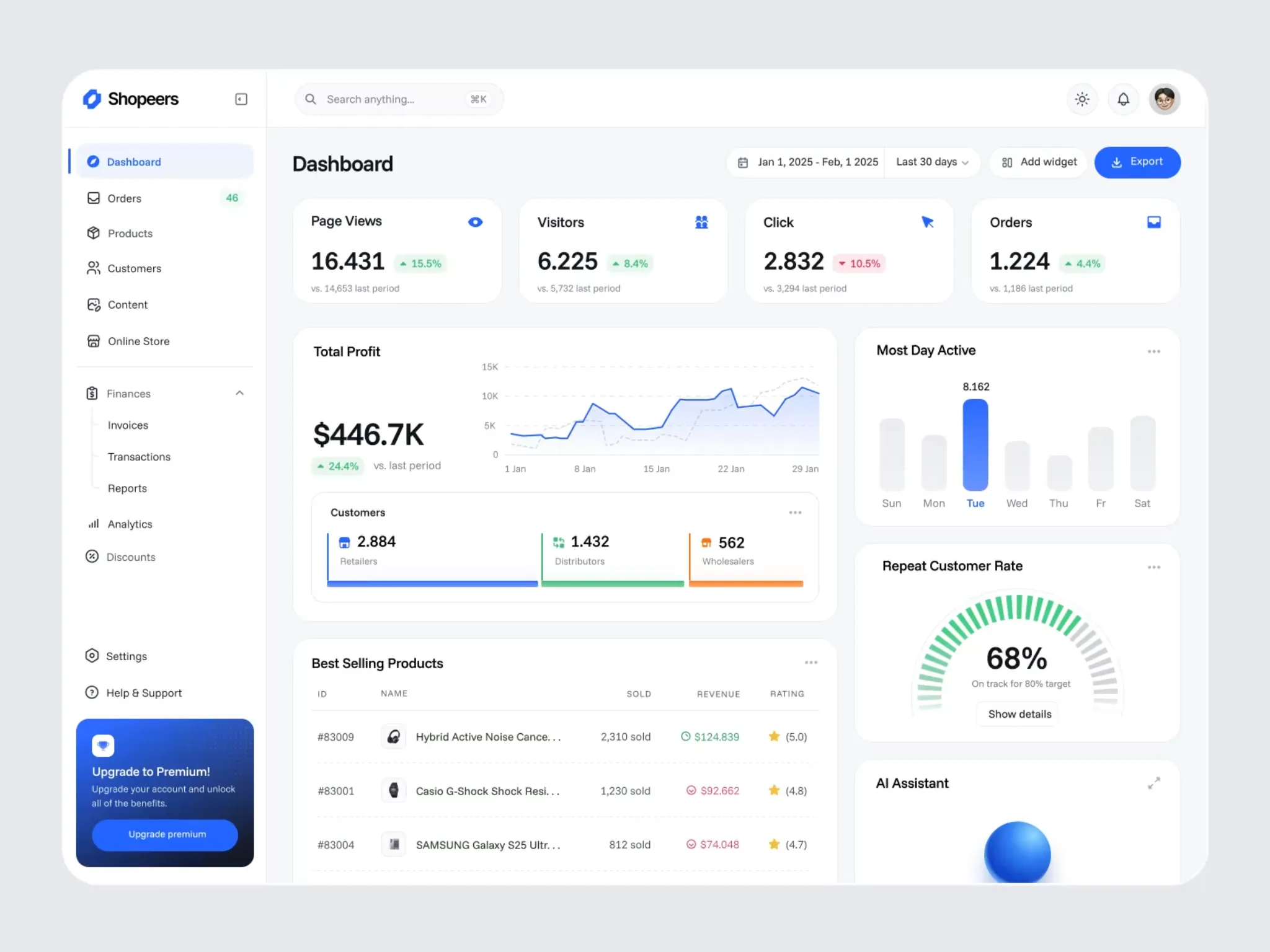
Built for a multi-channel seller, this dashboard turns page views, orders and profit into one live view instead of five separate tools.
- 01
Traffic & conversion
Page views, visitors and clicks with period-over-period change, so you see what's moving before the sales numbers do.
- 02
Revenue at a glance
A 30-day profit trend chart that makes seasonality and campaign spikes obvious at a glance.
- 03
Orders in real time
Order counts update live, with the comparison to the last period built in.
- 04
Customer mix
Retailers, distributors and wholesalers broken out, so you know who's actually buying.
- 05
Best sellers ranked
Top products by units sold, revenue and rating, refreshed automatically.
- 06
One click to export
Any view exports to a report your team can share without touching a spreadsheet.
[Donezo · Project management]
Keep every project, task and deadline visible
A workspace for teams running several projects at once — what's running, what's ending and who's behind, without a status meeting.
Start a project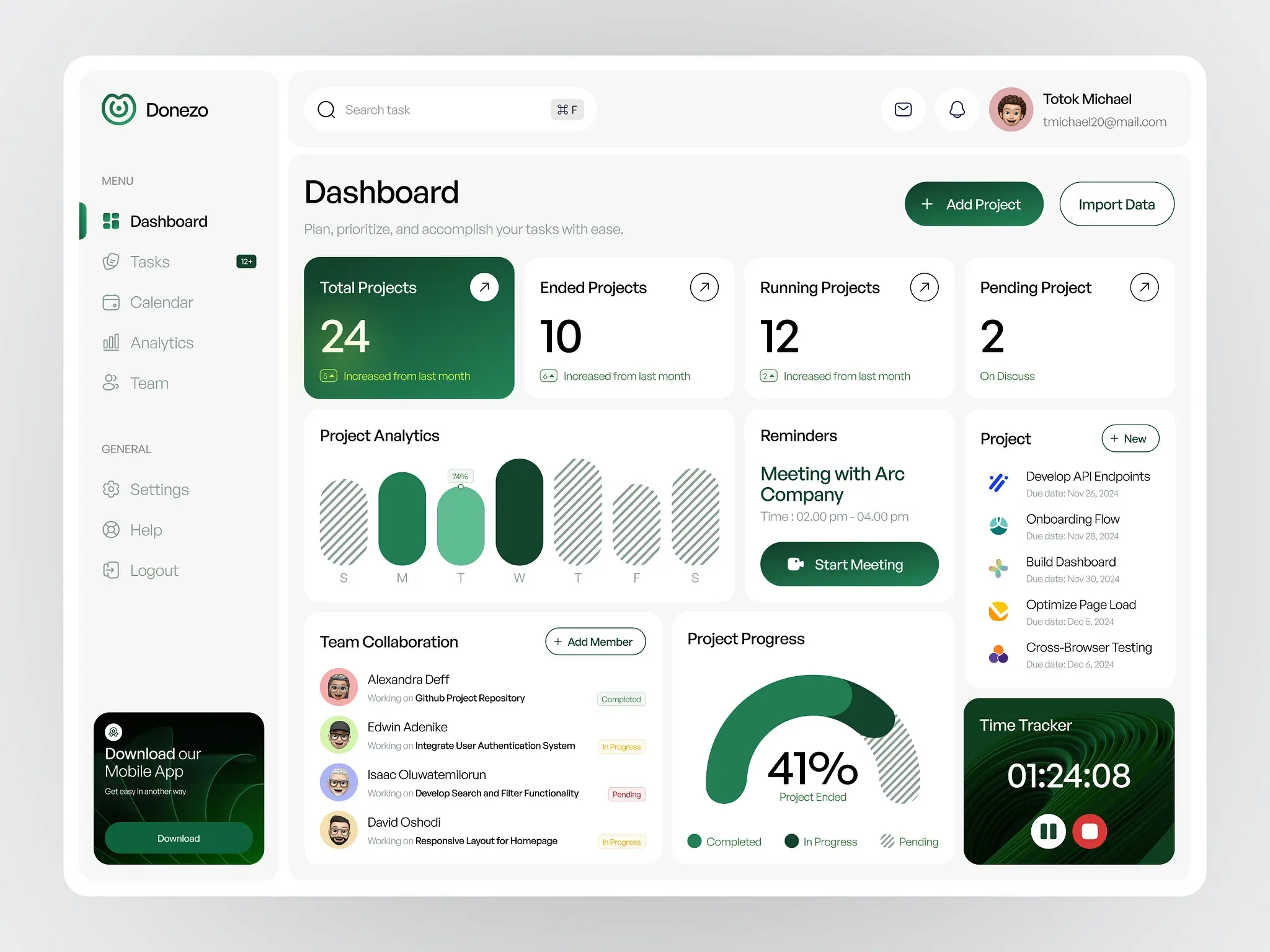
Portfolio at a glance
Total, running, ended and pending projects as live counts, each trending against last month.
Weekly analytics
A day-by-day activity chart that shows exactly where the team's time went this week.
Reminders that act
Meetings and deadlines surface with a one-click way to join or start them.
Task list with due dates
Every open task, who owns it and when it's due, in one scrollable list.
Team collaboration
Who's working on what, and whether it's completed, in progress or pending.
Built-in time tracker
Start, pause and stop timers without leaving the dashboard.
[Zentra · Payments & billing]
Revenue and transactions, always in view
A finance team's home screen: where payments succeed, where they drop off, and what that's worth, on one page.
Talk about payments data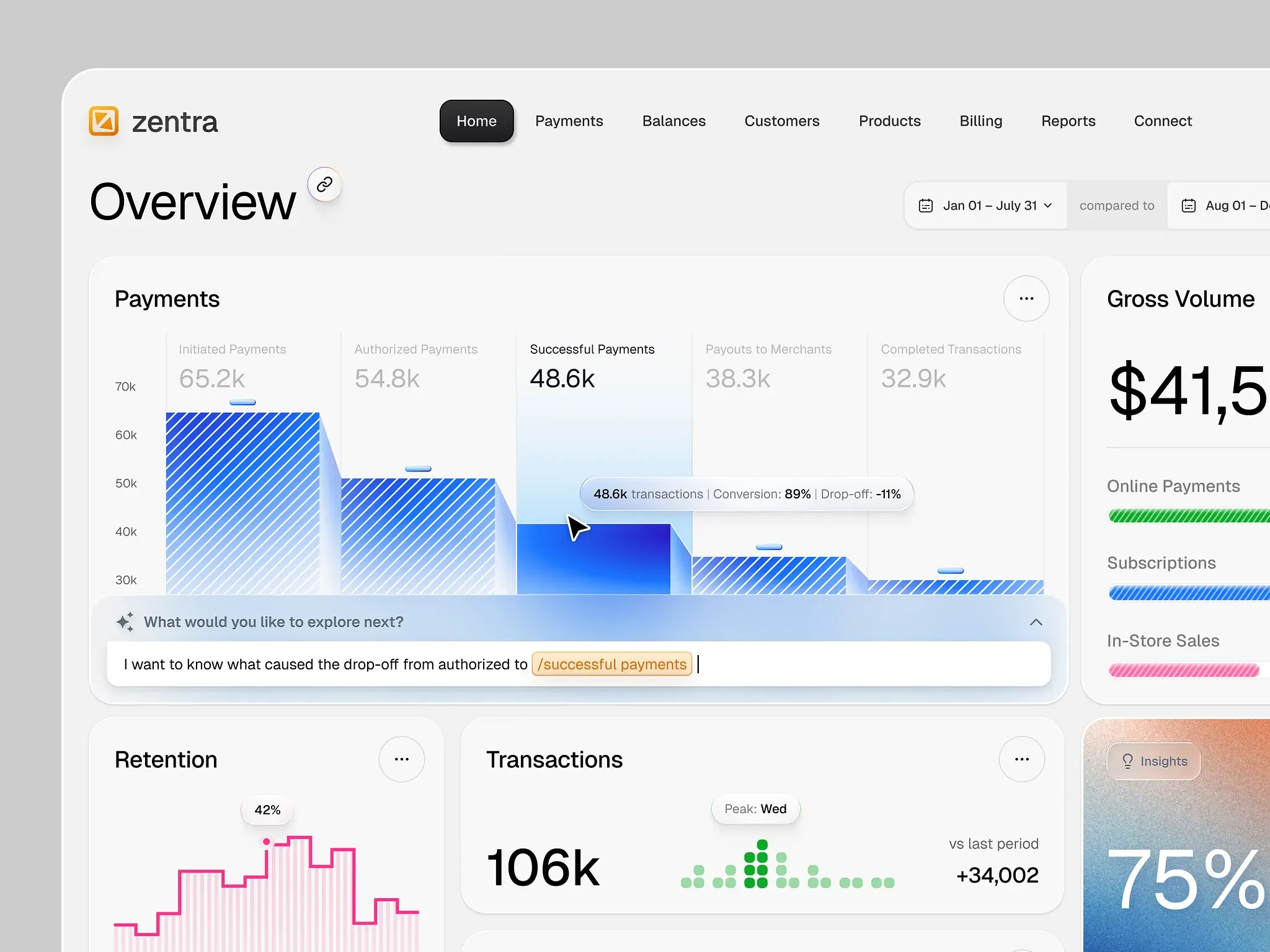
Payments funnel
Initiated, authorized, successful and completed payments shown as one funnel, with conversion and drop-off called out.
Gross volume by channel
Online payments, subscriptions and in-store sales broken out so you know where revenue is coming from.
Retention curve
A rolling view of how many customers come back, updated as new transactions land.
Transaction peaks
Daily transaction volume with the busiest day flagged automatically.
Ask it directly
A built-in prompt bar lets anyone ask what caused a drop-off instead of digging through filters.
Insights on demand
A dedicated panel surfaces the one chart worth looking at today.
[Workforce · HR operations]
Plan absences and onboarding without the spreadsheet
Everything an HR team juggles in spreadsheets — leave, onboarding, events — laid out as one calendar and one list.
Plan your HR dashboard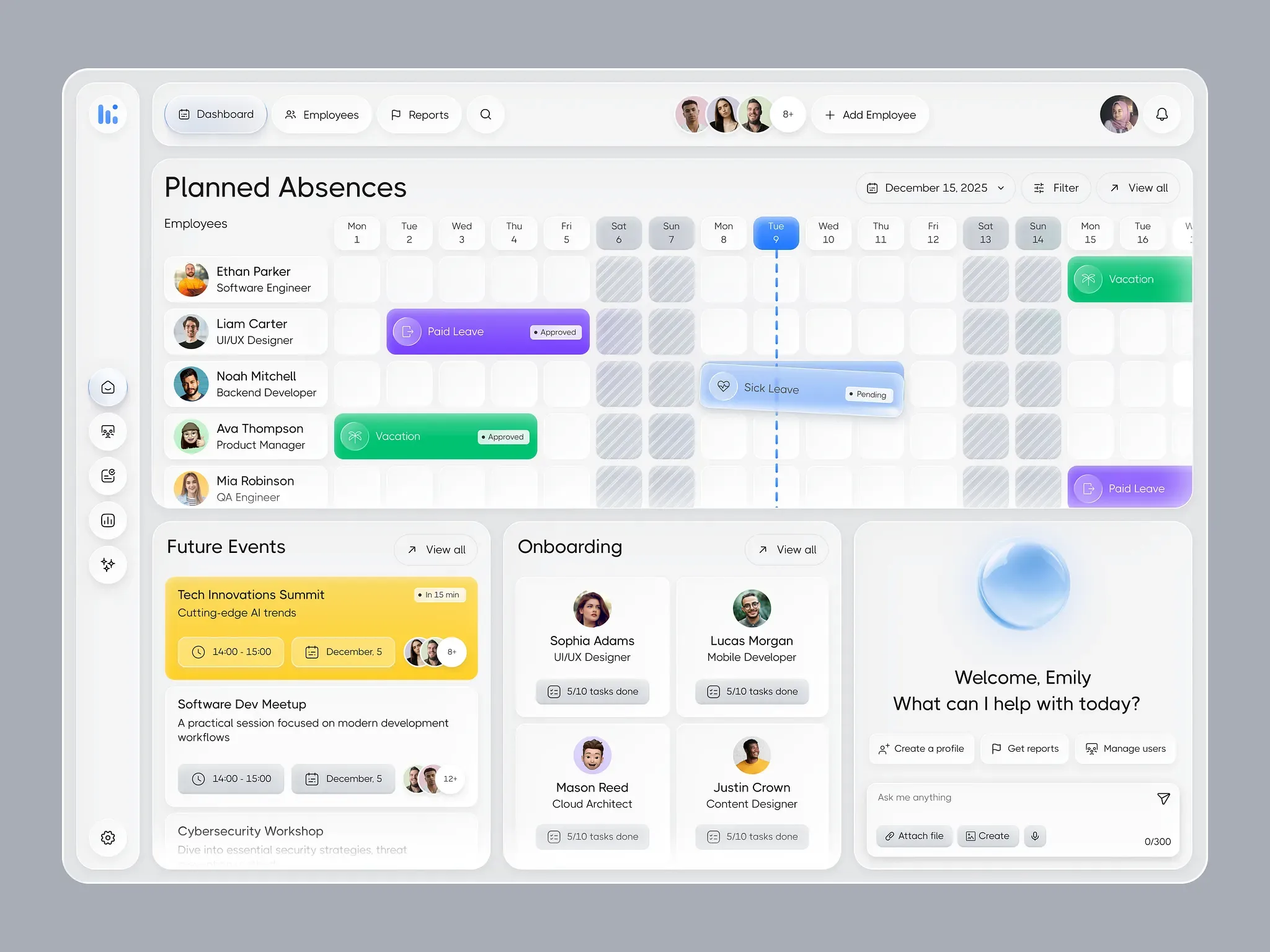
Absences on a calendar
Every employee's vacation, paid leave and sick leave laid across the month, not buried in a form.
Approval status at a glance
Approved, pending and on-discuss leave shown with a colour and a status pill, no need to open each request.
Upcoming events
Company events and training sessions with the time, date and who's attending.
Onboarding progress
New hires and how many of their onboarding tasks are done, tracked per person.
Team directory
Photos, roles and quick access to every employee's record.
Built-in assistant
An "ask me anything" bar for HR questions, report requests and quick actions.
[How we work]
From idea to launch
- 01
Discover
We start with your goals, your customers and the numbers you want to move, then agree on scope, timeline and budget in writing. - 02
Design
Wireframes and visual designs you can click through, reviewed with you before a line of production code is written. - 03
Build
Short, demo-able sprints with a staging link you can open at any time, so there are no surprises on launch day. - 04
Launch & grow
We ship, monitor and keep improving, with support, analytics and a clear plan for what to build next.
[Tools we use]
- React
- Next.js
- Node.js
- PostgreSQL
- MongoDB
- Recharts
[FAQ]
Common questions
Can the dashboard pull data from tools we already use?
Yes. We connect to your existing systems through their APIs or database exports, so there is no need to replace what already works.
Is our data secure?
Dashboards use encrypted connections, role-based access and audit logs. We can host on your own infrastructure if your policies require it.
Can it work on mobile?
Every dashboard is responsive, so key numbers are readable on a phone or tablet as well as on desktop.
[More services]
Let's talk
Let's build your custom dashboard
Tell us what you're building. We'll reply within one business day with next steps and a rough estimate.